


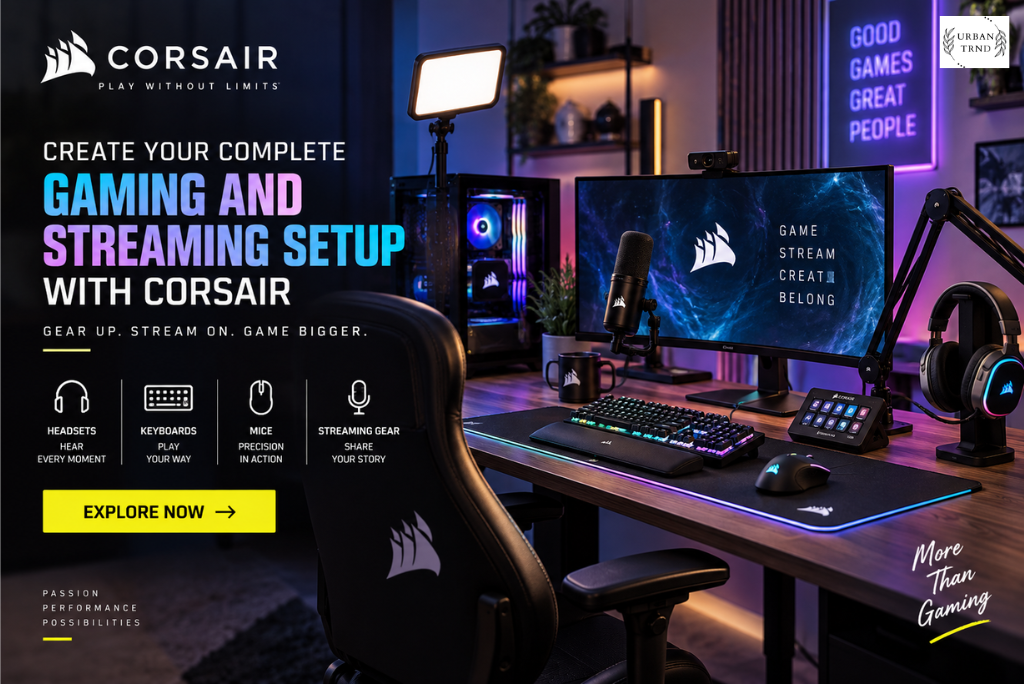
Turn Your Desk into a Complete Gaming Space
Nobody’s desk is just “a computer and a monitor” anymore. Yours is probably doing gaming, streaming, homework, work calls, group chats, maybe editing a video at 11pm — all from the same six square feet. Which means the stuff on that desk actually has to work together, not just sit next to each other.
CORSAIR’s catalog is big enough to cover basically all of it: gaming PCs, keyboards, mice, headsets, controllers, memory, cooling, cases, power supplies, fans, desks, chairs, the works.
Point of a catalog this wide isn’t “more stuff to buy.” It’s that you can build around what you actually do at that desk, instead of solving one problem at a time with mismatched gear.
Begin with a Gaming PC That Matches Your Needs
Computer’s the anchor of most setups, so it’s worth getting right. CORSAIR sells prebuilt gaming PCs if you’d rather skip the parts-research rabbit hole entirely.
Makes sense if you just want to play soon and don’t want to spend a weekend cross-referencing compatibility charts. Also nice if you want everything to actually look like it belongs together, since someone already made those calls for you.
Worth thinking about first, though: what you actually play, what resolution you’re targeting, whether streaming or video editing is in the picture. Someone grinding ranked in a shooter wants different things than someone recording gameplay for a channel.
Point isn’t to max out every spec. It’s picking something that fits now and doesn’t box you in later.
Pair Your Computer with the Right Keyboard
You touch the keyboard more than almost anything else on the desk, so it’s not the place to cheap out on comfort. CORSAIR’s got different layouts here — plenty of room to actually pick, not just settle.
Mechanical switches are popular for a reason — that feedback under your fingers is hard to go back from once you’re used to it. Some people want compact boards so the mouse has more room to swing. Others want the full-size layout with dedicated media keys and all the extras.
And customization’s a real draw here too. Lighting, programmable keys, different switch feels — you can build something that’s actually tuned to how you play, not generic.
If the same board’s doing double duty for work or school, make sure it’s comfortable for regular typing too. A keyboard that’s good at both jobs quietly becomes one of the better purchases on the whole desk.
Choose a Mouse That Feels Natural


Mouse touches everything — aim, movement, just clicking around browsing. CORSAIR’s wired and wireless lineup spans different shapes, sizes, weights, so it’s really about matching your grip, not just grabbing whatever’s popular.
Fast, twitchy games favor a lighter mouse — easier to whip around. If your grip’s more relaxed, an ergonomic shape probably treats your hand better over a long session.
Wireless also just cleans the desk up — one less cable fighting for space, especially once you’ve already got a mic, speakers, and a charging brick crowding things.
SABRE and KATAR are decent starting points if you want to compare shapes without going in blind. Best-sellers page is also worth a scroll, just to see what other people are actually landing on.
Improve Your Audio Experience
Sound does more heavy lifting than people give it credit for. Good headset, and suddenly you’re catching footsteps you’d have missed, hearing your teammate clearly instead of half-guessing what they said.
CORSAIR’s headset lineup has wireless options and built-in mics depending on what you need. Wireless is nice if you move around a lot or just hate cable clutter on principle.
Comfort matters more the longer the session runs — check earcup shape, fit, whether the controls are actually reachable mid-game instead of buried somewhere awkward.
If streaming’s part of the plan, the mic matters more than people expect. Clear audio is the difference between content that feels put-together and content that feels like background noise.
Add Lighting and Visual Character
Setup should feel like yours, whatever that means to you. Some people want it minimal and quiet. Some want RGB chaos. CORSAIR doesn’t really push you toward either — the lighting and component options work for both.
Lighting’s a decent way to visually tie things together — keyboard, mouse, fans, the internals, headset stand — so it doesn’t look like five unrelated purchases sitting near each other.
You get to decide how far to take it. One color, subtle. Full effects, dramatic. Themed around a favorite game if you want to go there.
None of this is superficial, either — a desk that actually looks like something you’d want to sit at just… gets used more. Especially when it’s the same six square feet every single day.
Make Long Sessions More Comfortable
Comfort’s the thing people skip past chasing specs, and that’s a mistake. CORSAIR’s furniture — desks, chairs — exists because the setup needs to actually support the hours you’re putting into it.
Desk needs room for the monitor, keyboard, mouse, speakers, whatever else, without turning into clutter. Some breathing room matters more than people think until they don’t have it.
Chair matters even more over long stretches — gaming, streaming, just working. Look at adjustability, cushioning, whether it actually matches your desk height instead of fighting it.
Furniture’s not a one-and-done impulse buy. Worth picking things that hold up for more than just gaming.
Explore Products for Streaming and Content Creation
Gaming and content creation have basically merged for a lot of people. Recording gameplay, streaming live, posting videos, talking to an audience — CORSAIR’s broader ecosystem (including creator-focused brands under its umbrella) covers a good chunk of that too.
Creators usually need more than keyboard-and-mouse. Audio gear, lighting, a camera, some kind of control deck — all of it adds up to a smoother workflow once it’s dialed in.
Doesn’t matter if full-time streaming isn’t the goal. A decent mic, a tidier desk, a headset that doesn’t cut out mid-call — all of that improves regular video calls too, not just content.
Best approach: fix the biggest annoyance first. Add more once you actually feel the next gap.
Look for Deals and Complete Bundles
Worth checking CORSAIR’s deals page before a big purchase — promotions run across gear, PCs, memory, other stuff, and there are bundles that group things together.
Bundles help most when you’re starting from scratch and need several things at once. Also a decent way to stumble onto gear that pairs well, especially if you don’t already know the catalog well.
Deals rotate, so check before finalizing anything. And read the actual terms — eligible products and restrictions vary more than you’d expect.
Why CORSAIR Is a Strong Choice for a Complete Setup


Real advantage here is thinking about the whole desk at once instead of buying one thing at a time in isolation. PC internals, peripherals, furniture, accessories — one catalog covers it.
Works whether you’re just starting out or deep into it already. Beginner grabs a keyboard or headset. Enthusiast builds out a fully coordinated system with matched lighting and hand-picked everything.
Support resources, guides, warranty info, replacement parts — all there too, which matters when you’re planning to actually depend on this stuff daily, not just for a month.
Build a Setup You Will Enjoy Using Every Day
Best setup isn’t the one with the most gear crammed onto it. It’s the one that’s comfortable, performs the way you need, looks right to you, and actually fits how you use that desk.
CORSAIR gives you the room to build toward that — start with the PC, upgrade keyboard and mouse, fix the audio, add some lighting, sort out the desk, get a chair that doesn’t wreck your back by hour three.
Look through the categories, compare what actually matters to you, check what’s on sale before buying. Wide enough range that building something that feels genuinely yours isn’t really the hard part — figuring out where to start is.