


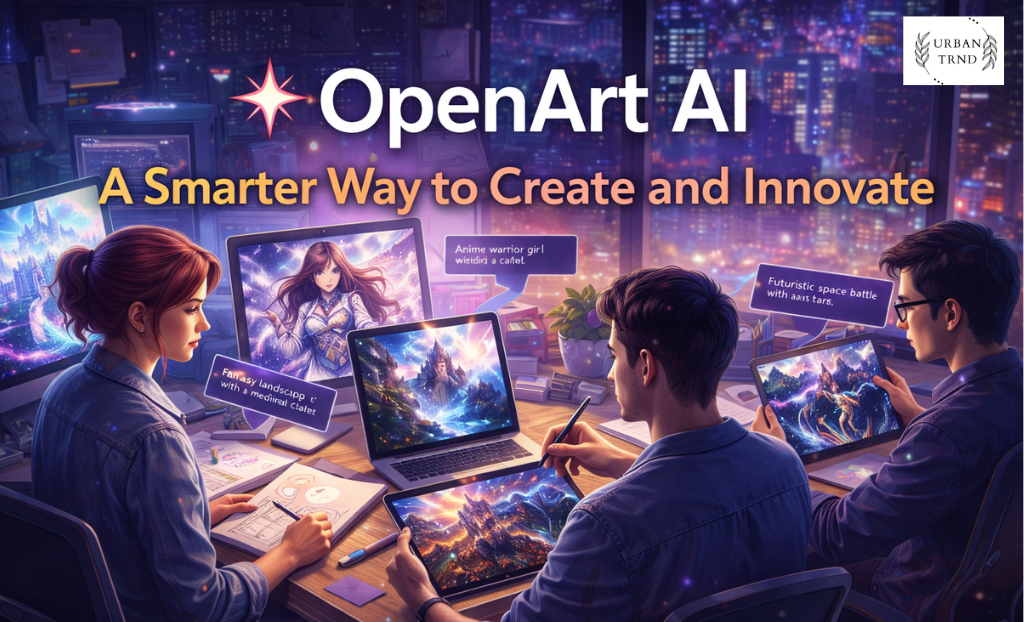
Creative work often begins with a simple idea. A mental image, a vague concept, or a rough visual that exists only in your head. Turning that idea into something tangible usually requires design skills, software knowledge, time, and sometimes a budget. For many people, that becomes the biggest roadblock.
This is where OpenArt AI quietly changes the game.
Instead of treating art creation as something only professionals can handle, OpenArt AI opens the door for anyone to explore visual creativity using artificial intelligence. You don’t need to know how to draw. You don’t need to master complicated tools. You simply describe what you want, and the platform helps turn that description into a visual.
Over time, OpenArt AI has grown into more than just an image generator. It has become a creative environment where people can generate images, experiment with styles, edit visuals, and even explore AI-generated motion content — all in one place.
Creativity Without the Usual Barriers


Traditional design workflows often come with friction. You might need expensive software, tutorials, or years of practice before you can confidently create what you imagine. OpenArt AI removes many of these barriers by shifting the focus from technical execution to creative thinking.
The platform works on a simple principle: text-to-image generation. You type a prompt describing the image you want, choose a model or style, and the AI generates visuals based on your input. From realistic photography and digital paintings to anime, fantasy art, and conceptual illustrations, the range of possibilities is wide.
What makes this process feel approachable is how quickly you see results. Within seconds, you’re presented with images that reflect your idea. You can refine your prompt, adjust styles, or try different models until you find something that matches your vision.
This trial-and-error approach encourages experimentation rather than perfection, which is exactly what creativity thrives on.
OpenArt AI as a Daily Creative Companion
One of the reasons many users stick with OpenArt AI is that it fits naturally into everyday creative workflows. It isn’t designed only for big projects or professional studios. It works just as well for small, spontaneous ideas.
Writers use it to visualize characters and scenes before describing them in words. Social media creators use it to design post visuals, thumbnails, and banners. Students use it for presentations and creative assignments. Entrepreneurs use it to mock up product ideas or branding concepts.
Instead of switching between multiple tools, OpenArt AI allows users to brainstorm, generate, and refine visuals in one place. This saves time and keeps the creative process flowing.
A Closer Look at What You Can Create
OpenArt AI supports a wide variety of creative outputs, which is one of its biggest strengths. Users commonly create character art, digital illustrations, environment designs, concept art, and stylized portraits.
Beyond still images, the platform also supports AI video generation through text-to-video models. This allows creators to generate short animated sequences based on written descriptions. While not a replacement for full-scale video production software, it’s a valuable option for quick motion content, storyboards, or experimental visuals.
Editing tools further expand what users can do. You can blend images, remove backgrounds, upscale resolution, and remix existing visuals. These tools make OpenArt AI feel less like a single generator and more like a lightweight creative studio.
Discovering OpenArt AI’s Bestselling Capabilities
When people talk about the most popular aspects of OpenArt AI, image generation consistently tops the list. The platform’s ability to produce high-quality visuals across many styles is what attracts most users in the first place.
Another standout area is model variety. OpenArt AI offers access to different AI models, including Stable Diffusion-based options and custom models developed by the platform. Each model produces slightly different results, giving users more control over the final look.
Prompt exploration is also widely used. Users can browse community prompts to see how others achieve certain effects, learn prompt-writing techniques, and build on existing ideas. This feature helps beginners learn faster while giving experienced users new inspiration.
Together, these elements form what many consider OpenArt AI’s “bestsellers”: flexible image generation, diverse models, and easy experimentation.
Free Access That Encourages Exploration
Trying a new creative tool can feel risky if payment is required upfront. OpenArt AI addresses this by offering a free plan with daily credits. This allows users to explore the platform, generate images, and test features before deciding whether to upgrade.
For creators who use the platform frequently, paid plans offer higher generation limits, faster processing, and access to premium models and higher-resolution outputs. This structure works well because it scales with the user’s needs.
Casual users can stay on the free tier, while professionals and serious creators can choose a plan that matches their workload.
Why So Many Creators Choose OpenArt AI


The appeal of OpenArt AI goes beyond features. It’s about how the platform makes people feel capable.
You don’t have to call yourself an artist to create art here. You don’t have to worry about “doing it wrong.” You simply describe what you want and see what happens. That sense of low pressure is important, especially for beginners.
Another reason people choose OpenArt AI is speed. Traditional design can take hours. With AI-powered generation, you can explore multiple ideas in minutes. This doesn’t replace human creativity — it enhances it by allowing faster iteration.
The platform also continues to evolve, adding new models and tools over time. This ongoing development reassures users that OpenArt AI isn’t standing still.
Real-Life Scenarios Where OpenArt AI Shines
Imagine you’re planning a fantasy horror short film. You can use OpenArt AI to visualize your main character, the setting, and key scenes. These visuals help you refine your ideas and stay consistent as you write.
Or suppose you’re running a small online business and need social media graphics. Instead of hiring a designer for every post, you can generate concept images yourself and build a visual identity over time.
Even for personal projects, OpenArt AI can be a source of relaxation. Many users simply enjoy experimenting with prompts, exploring styles, and seeing what the AI produces.
These small but meaningful use cases show how OpenArt AI fits into everyday creativity.
A Platform That Encourages Learning
OpenArt AI isn’t just about output; it’s also about discovery. As users experiment with prompts, models, and styles, they naturally learn what works and what doesn’t. Over time, they develop a better understanding of composition, lighting, and visual storytelling.
This learning curve feels organic rather than forced. You’re not following rigid tutorials. You’re learning by doing.
For many people, this is what makes the platform enjoyable rather than intimidating.
Why OpenArt AI Deserves a Spot in Your Creative Toolkit
In a world where visual content is more important than ever, tools that make creativity accessible matter. OpenArt AI offers a practical, flexible, and inspiring way to turn ideas into images and motion content without demanding technical expertise.
With its combination of text-to-image generation, editing tools, video capabilities, free access, and growing model library, OpenArt AI has positioned itself as a valuable companion for modern creators.
Whether you’re exploring creativity for the first time or looking for faster ways to visualize ideas, OpenArt AI provides a space where imagination can turn into something real.