


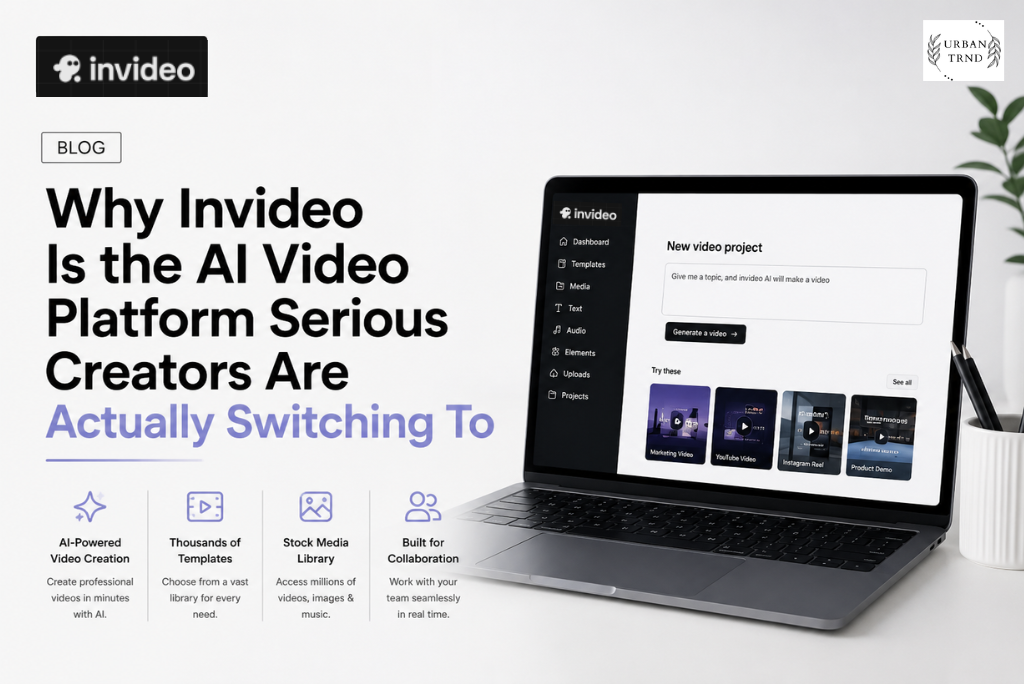
The AI video space has gotten crowded fast. Dozens of tools promise to turn text into video in seconds, deliver cinematic results from a simple prompt, and eliminate the need for any creative skill or technical knowledge. Most of them deliver something that looks impressive in a demo and frustrating in actual use — inconsistent outputs, no memory of your previous work, and the constant sense that you’re spending more time prompting and correcting than you would have spent just editing the thing yourself.
Invideo sits in a noticeably different position. The platform has built its identity around the idea that AI should actually take work off your plate rather than redirect it — and the specific tools, models, and features it’s assembled to support that idea are worth understanding properly before you make a decision about where your creative work and budget goes.
What Invideo Actually Is — Two Distinct Products Under One Roof
Before getting into the specifics, it’s worth understanding that invideo is actually two complementary products that serve different but related needs.
The first is invideo AI, which is the generative and agentic side of the platform. This is where you bring ideas, scripts, briefs, or rough concepts and let the AI do the heavy production work — generating video from text, creating images, building out scenes, handling voiceover, managing subtitles, translating content for different markets, and now orchestrating entire multi-shot productions through Agent One. This is the part of invideo that’s genuinely different from most other AI tools, and the part that’s been evolving fastest.
The second is invideo Studio, which is the traditional video editing side — a timeline-based editor that works the way Premiere Pro and similar tools do, but built into a browser rather than a desktop application. This exists for users who want hands-on control over the editing process rather than delegation to AI agents, and it covers online video editing, picture video making, video collage creation, trimming, compression, and format-specific editing for Instagram, Facebook, and other platforms.
Both products sit within the same account, which means the same subscription gets you access to both the AI-powered creation side and the manual editing tools depending on what a given project actually needs.
Agent One — The Platform’s Most Significant Shift


The centerpiece of invideo’s current offering is Agent One, and it’s worth spending time on what this actually means in practice rather than treating it as a marketing label.
Agent One is designed to address the biggest frustration with AI video tools: the repetition and inconsistency problem. When you use a basic AI video generator, every session essentially starts from scratch. You have to re-explain your project, re-establish your visual style, and manually check that the character in scene four looks like the character in scene one. For short, simple content this is manageable. For anything with continuity — a series, a long-form video, a campaign with multiple executions — it becomes genuinely exhausting.
Agent One solves this with long-term memory built into the platform. When you set up a project, you give it context — your characters, your visual treatment, your tone, your brand guidelines, your script — and Agent One stores this as the persistent frame of reference for every clip it generates. The result is that the tenth scene in a video can remain visually consistent with the first without you having to manually describe it again. For anyone who has spent time wrestling with character consistency in AI-generated video, this is a practical game-changer rather than a theoretical one.
Agent One also handles multi-shot editing — adjusting multiple clips at once across location, costume, or character variables — without requiring you to regenerate everything from scratch whenever a creative decision changes. You can swap a character’s environment across several scenes in a single instruction rather than going scene by scene.
The AI Model Stack — Where Invideo’s Access Gets Interesting
One of the more practically significant things about invideo is what’s available under the hood. Rather than building a single proprietary model and betting everything on it, invideo has integrated access to an extensive library of the leading AI models across video, image, and audio.
On the video side, this includes Google Veo 3.1, Sora 2, Kling AI, Wan AI, Pixverse AI, Hailuo AI, Seedance 2.0, and more — essentially a catalog of the best performing video generation models available. Different models have different strengths — some are better for photorealistic footage, others for stylized content, some for long clips and others for short dynamic shots — and having access to all of them within a single platform means you can choose the right tool for the specific requirement rather than being locked into whatever a single-model platform can produce.
For images, the lineup includes Nano Banana Pro, Ideogram, Seedream, Flux Kontext, Qwen, Imagen AI, and Reve AI, again covering a range of use cases from photorealistic product images to illustrated and stylized visual assets. For audio, Eleven Labs and Minimax handle voiceover and music generation respectively, with the quality level you’d expect from Eleven Labs specifically being noticeably higher than generic text-to-speech.
The practical implication of this breadth is significant. When invideo’s Agent One helps you select a model and write the prompt for each shot — rather than assuming you know which model to use and how to prompt it — it’s drawing on genuine knowledge of what each model does well. This is the “no need to become a prompt engineer” promise that invideo makes, and it’s credible because there’s actually something behind it.
Video Tools — What You Can Actually Create
The invideo AI video tools section covers a range of creation formats that map to genuinely different use cases rather than being variations on the same thing.
The AI Video Generator is the core tool for going from a text prompt or brief to a completed video, handling everything from script to visuals to voiceover. The AI Avatar Generator creates AI presenter-style videos with realistic avatar characters, which is particularly useful for explainer content, training videos, and social content where a human-facing delivery works better than pure motion graphics. The AI Clip Generator focuses on short-form content specifically — the kind of quick, punchy clips that work on TikTok, Reels, and Shorts — with an understanding of the format requirements built into the tool rather than requiring manual format adjustment.
For advertising specifically, the UGC Ads tool creates user-generated-content-style ad videos that perform better on paid social than polished, produced-looking creative. This is a format distinction that matters — UGC-style ads consistently outperform traditional video ads in feed placement on most major platforms, and having a dedicated tool that creates this aesthetic specifically is more useful than trying to adjust a general video generator to match it. The AI Ad Generator and the broader advertising tools cover this space more comprehensively for performance marketing use cases.
The AI Animation Generator covers the non-live-action side, useful for educational content, explainers, and brand content where an illustrated or animated style fits better than realistic footage. Text-to-video and image-to-video complete the core generation capabilities, the latter being particularly useful when you have existing visual assets you want to bring into motion.
Product Clone is one of the more niche but genuinely impressive tools in the lineup — it allows you to create product showcase videos from product images, which is exactly what e-commerce brands need for scaling video content across a product catalog without a photoshoot for every item.
Image and Audio Tools — The Supporting Infrastructure
The image tools at invideo cover AI image generation, art generation, image-to-image transformation, thumbnail making, and image enhancement. The thumbnail maker specifically is worth calling out for YouTube creators, because thumbnail quality has a disproportionate impact on click-through rate and most video creation tools treat it as an afterthought.
The audio side covers AI voice generation, AI music generation, text-to-speech, and voice cloning. Voice cloning in particular is a capability that unlocks a specific workflow — creating a consistent branded voice across all content without needing to record new voiceover for every video. For brands, course creators, and anyone building a content library at scale, having a cloned voice that matches the founder or brand voice consistently across hundreds of videos is a genuine production efficiency.
The Video Translator tool extends this logic across language, allowing existing video content to be adapted for different language markets without re-recording or re-producing from scratch.
Platform-Specific Tools and the Social Media Workflow
Invideo has built dedicated tools for YouTube, Instagram, TikTok, and Facebook, which reflects a practical understanding of how different these platforms actually are in terms of format requirements, aspect ratios, length expectations, and content style. The YouTube-specific tools support longer-form content and the specific requirements of YouTube SEO and thumbnail strategy. The Instagram Reels maker and TikTok video editor work in vertical formats with the pacing and visual energy that performs on those platforms. Facebook’s video requirements sit somewhere between the two, and the dedicated Facebook editor handles those specifics.
The AI Subtitle Generator sits within this social media workflow as a particularly practical tool, since captioned video consistently outperforms uncaptioned video across all social platforms for both engagement and reach, and doing it manually at any volume is time-intensive enough to regularly get skipped.
Collaboration, Storyboarding, and the Creative Production Features
Multiplayer mode is invideo’s answer to the question of how AI video tools fit into team workflows rather than solo creator workflows. With live cursors and real-time collaboration, multiple people can work on the same project simultaneously — a writer, an editor, a producer — seeing what everyone is doing and commenting in context. This is a feature that matters specifically for agencies and teams rather than solo creators, and its inclusion signals that invideo is designed to serve professional creative production rather than just individual content makers.
The storyboarding feature converts scripts or ideas into shot-by-shot plans before any generation happens, which changes the workflow in a meaningful way. Rather than generating video and then fixing what doesn’t match your vision, you can plan the visual structure first and verify that it matches the creative intent before committing compute to generation. The script writing tool with AI co-writing assistance completes the front-end of this production workflow, meaning the entire process from idea to finished video can happen within invideo rather than requiring external tools at any stage.
Custom agent building is the most advanced feature in the platform, allowing users to create specialized agents for specific roles — a cinematographer agent that thinks in terms of shot composition, a sound designer agent that approaches projects acoustically, a colorist agent focused on visual tone — and combine them into a team of AI collaborators with defined responsibilities.
Enterprise and the Professional End of the Market


Invideo’s enterprise offering extends the core platform with features specific to organizational use — enhanced security, collaboration capabilities at team scale, custom branding and white-labeling, dedicated support, and the SOC 2 and ISO alignment and GDPR compliance that enterprise procurement processes require. The client list publicly featured on the site — Google, NVIDIA, Salesforce, Visa, IBM, Meta, LinkedIn, Netflix, Mastercard, Ford, Hilton, Cisco, HubSpot, and others — is not marketing decoration. These are organizations with professional video production requirements and real procurement standards, which is meaningful evidence that the platform performs at a level that satisfies demanding professional use cases.
Pricing and What to Expect
Invideo’s paid plans include access to the full model stack — Seedance 2.0, Veo 3.1, Kling 3.0, Nano Banana Pro, and Eleven Labs music among others — as well as access to the invideo v4 agent capable of generating substantial-length video from a single prompt, and top stock providers including iStock and Storyblocks. On-demand credit top-ups are available for production needs that exceed a plan’s base allowance, and pricing is separated between individual and team and enterprise tiers to reflect the different needs and scale of different user types.
The affiliate program is worth noting for creators who build tutorials or content around AI video tools — the community and partner ecosystem around invideo is active, and the affiliate program provides a practical revenue channel for creators in that space.
Why Invideo Is Worth Choosing Over the Alternatives
The honest case for Invideo over the growing field of AI video competitors comes down to a few things that are genuinely hard to replicate. The breadth of the model stack means you’re not betting on a single proprietary model performing well for every use case. Agent One’s long-term memory and project context solves the consistency problem that makes AI video frustrating at production scale. The combination of generative AI tools and traditional editing in the same platform removes the need to export and import between systems. The collaboration and storyboarding features make it genuinely usable in professional team workflows rather than only by solo creators. And the enterprise-level security and compliance means the platform scales to organizational requirements rather than topping out at individual creator use.
If you’re making a decision about where your video production workflow lives going forward, invideo is the platform that has clearly thought about what serious creative work actually requires rather than what sounds impressive in a product demo.